![dineplan_horizontal_dp_blue-1.svg]](https://learn.dineplan.com/hubfs/dineplan_horizontal_dp_blue-1.svg)
-
Who has access to Sentiment
-
How Sentiment scores work
-
Setting up your reviews
-
Your Review Dashboard
-
What is NPS in Sentiment?
-
Responding to reviews
-
Insights
-
Reports
Who has access to Sentiment
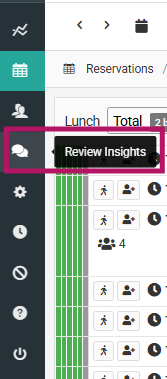
All Dineplan users have access to Sentiment via the Review Insights menu option on the main menu. Only those with "Respond to reviews" permissions in Dineplan will be able to respond to reviews.
How Sentiment scores work
In Dineplan, guests can rate food, service, ambience, and value. On Google, guests can rate food, service, and atmosphere.
Sentiment pulls in each review's overall star rating, but analyses the review text using AI to derive its own scores for the individual category metrics - food, service, ambience, and value. This means a Sentiment category score may not match what a guest rated, because written reviews often contain detail and nuance that a number doesn't capture.
Because this analysis is applied consistently to every review regardless of platform, all reviews sit on the same playing field — giving you a richer, more comparable picture across Google and Dineplan than ratings alone provide.
Setting up your reviews
Dineplan reviews are pulled into Sentiment automatically — no setup required.
To bring in your Google reviews, you'll need to grant our team manager access to your Google Business Profile.
Why this is required
- Access and manage Google reviews
- Receive review notifications
- Publish owner responses on your behalf
- Ensure accurate review reporting and analytics
How to grant access
- Sign in to your Google Business Profile account
- Select the relevant business location
- Navigate to Business Profile Settings → People and Access
- Click Add
- Enter the email address: connect@dineplan.com
- Assign the role Manager
- Send the invitation
Once added, pop a mail to support@dineplan.com to let us know and we'll make sure your Google reviews begin syncing into Sentiment.
Your Review Dashboard
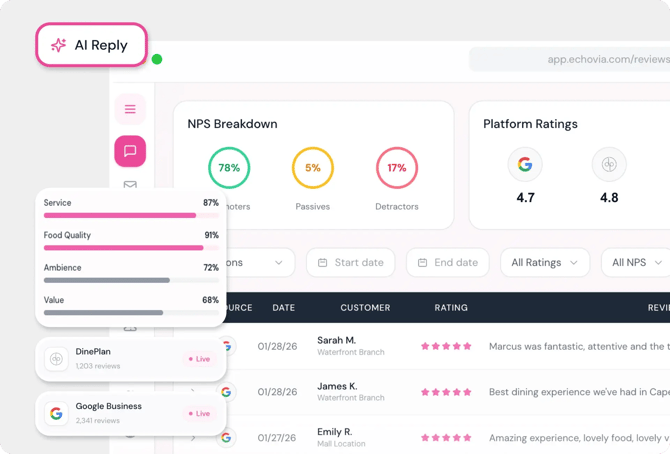
See all your reviews in one place and filter on:
- Date Range
- Star Rating
- Public / Private Reviews
- Critical
- Replied / Not-replied
- Review channel (Dineplan/Google)
Expand each review using the small arrow on the left, to see your reply, who replied and the individual metrics for Dineplan reviews.
New reviews are refreshed every hour.
What is NPS in Sentiment?
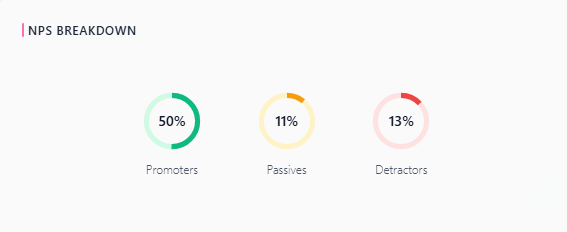
Where ratings give one a hard score, NPS analyses the content of comments to draw out more nuanced sentiment showing you what proportion of it is positive vs passive vs negative. Use this alongside your star rating to get a fuller picture of guest sentiment.
All reviews - Google and Dineplan - appear in the review panel. Public reviews will have a Reply option on the right hand side. Private reviews will not.
Click Reply to respond. An AI-drafted reply will be available - review it, edit if needed or even rewrite it entirely and post.
Sentiment's AI learns your brand voice over time by comparing your previous responses and edits, so drafts improve the more you use it.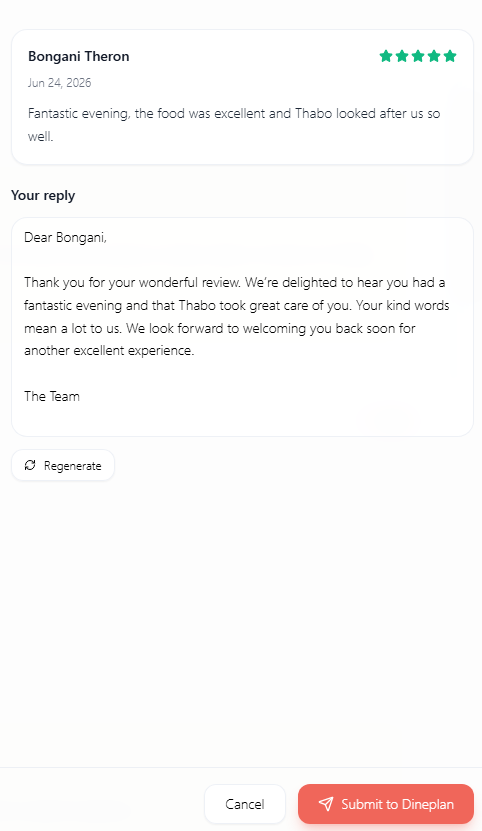
Insights
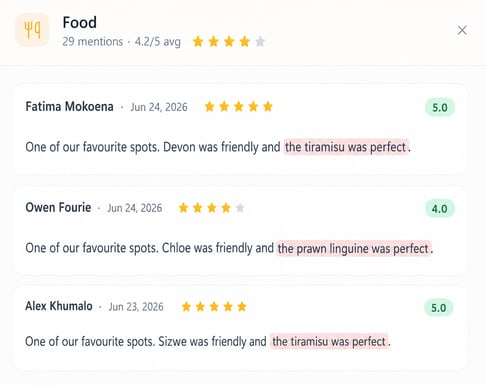
Select a date range and click into each metric to see which reviews include comments relevant to that theme eg. all reviews with ambience-related comments. Or all that mention food.
Reports
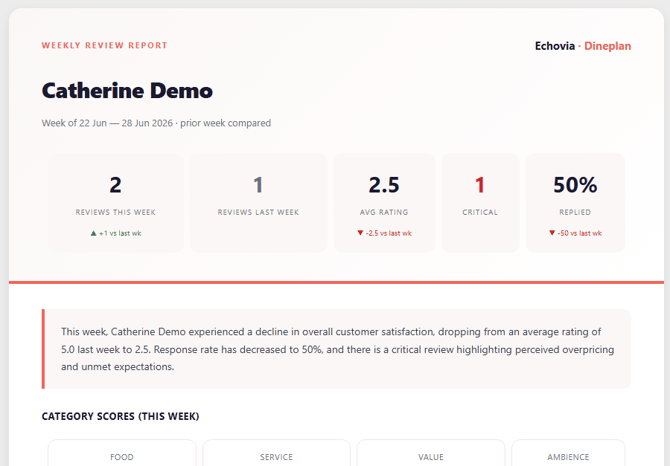
Weekly reports are generated, you can view them on screen or export a pdf version. These include an overview, highlights, any points of concern, recommendations and patterns identified.
Staff specifically mentioned, and any urgent reviews that haven't yet been responded to.